Loading the grid…
Biblical literacy,
simplified.
A group of men were sitting around a table at a coffee shop during
a Saturday morning Bible study and found themselves asking what a
word meant. After weeks of this question coming up over and over
about various words, Bibliteracy was born.
Bibliteracy’s aim is to promote Biblical literacy through reading, studying,
and exploring God’s word. By combining several powerful Bible study tools
and resources, Bibliteracy helps followers of Jesus become Biblically literate
disciples by assisting them in understanding what the author
intended to say to their original audience.
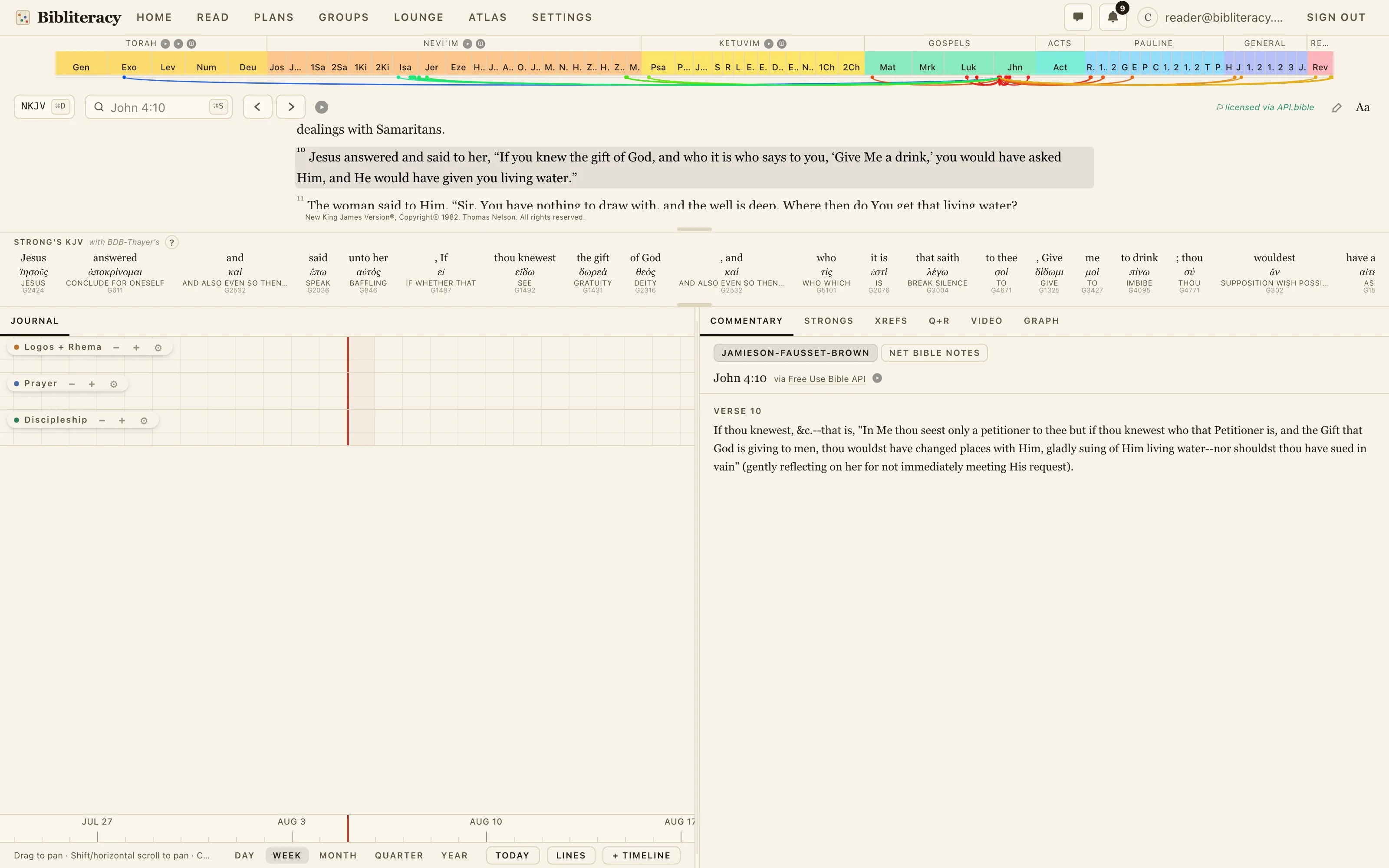
User friendly grid layout
When you log in, the app is laid out so you can access all your tools in one place. You can read
a passage, take notes in the Journal, and access all of our study tools from one screen.
Intuitive navigation
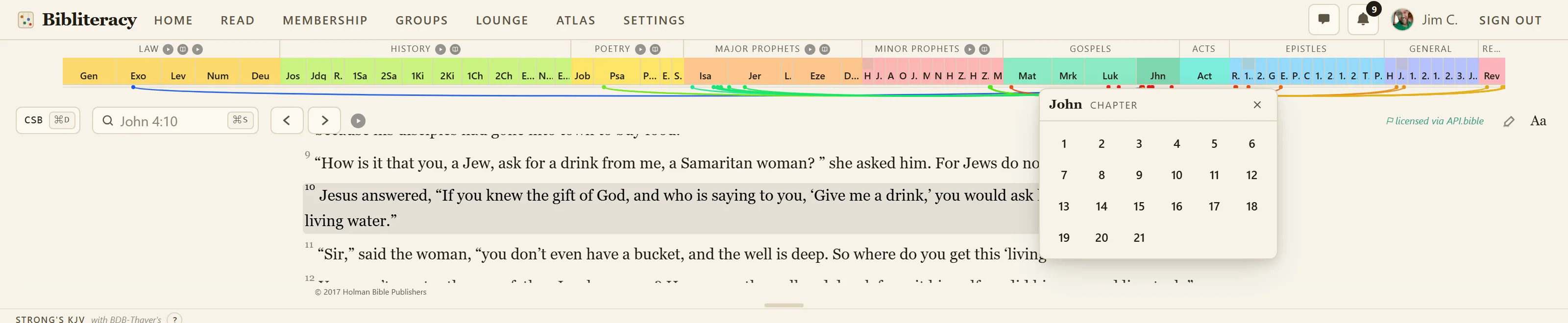
The navigation bar is laid out to be as simple as possible to get you into the text quickly. The tabs at the top of the page allow you to quickly and easily move from one core area to another, and the scripture navigator can get you to any part of any book within three clicks.
Quick access to
Strong's Concordance
Directly under the text is a bar with the Strong’s Concordance references for the selected verse. Click on any reference word in the bar to see even more information about the word. All of this
is visible while still viewing the passage you’re studying.


Powerful study tools at the tip of your finger
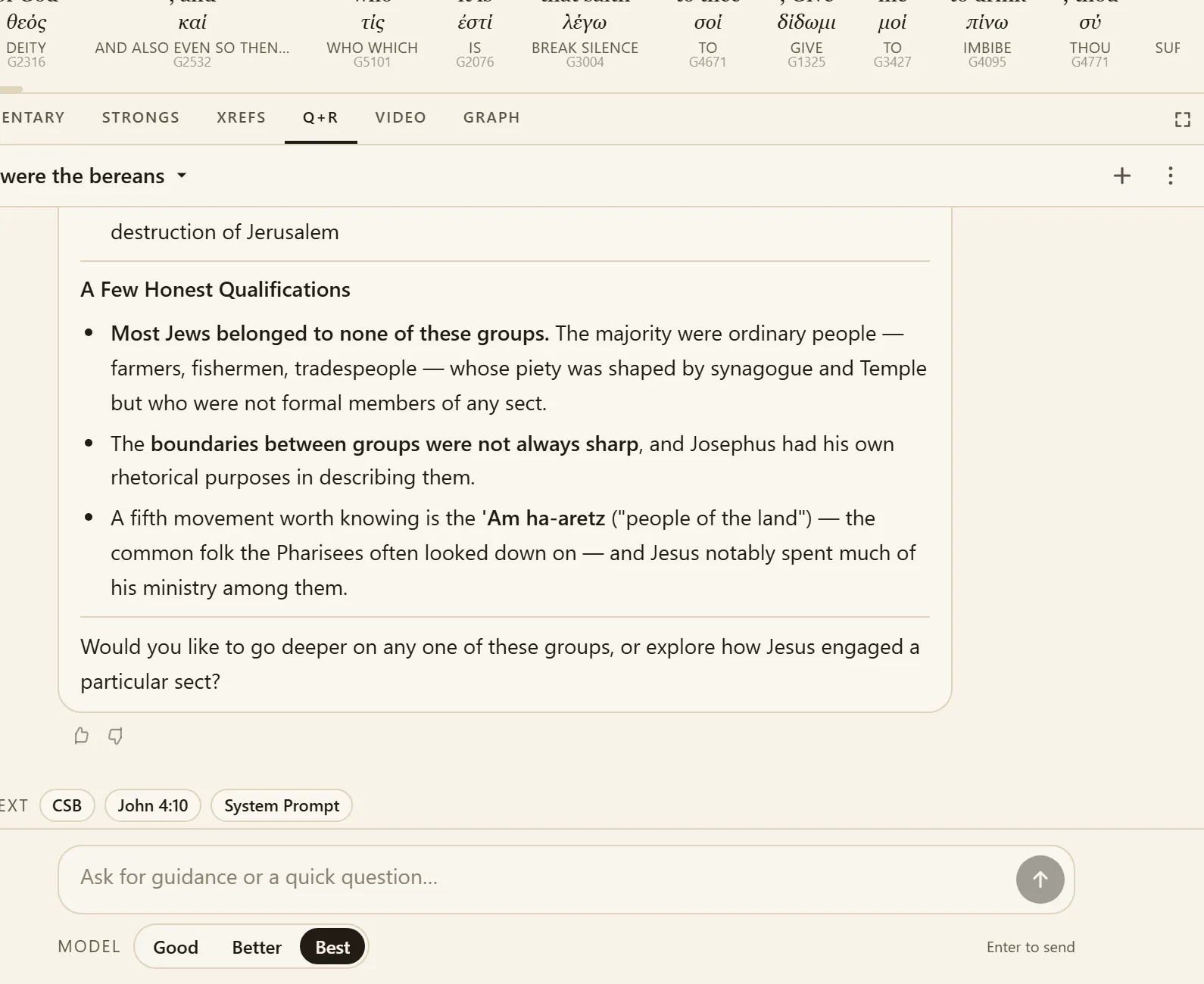
You can’t become Biblically literate without studying scripture. Bibliteracy’s goal is to make Bible study as simple as possible by offering powerful study tools in an intuitive, easy to digest format.
Our tools include Strong’s Concordance, commentaries from scholars with years of experience studying scripture, and Q+R, our powerful AI assistant. All of our tools are set up with you in mind, designed to help you develop a deeper understanding of the Word.
External sources
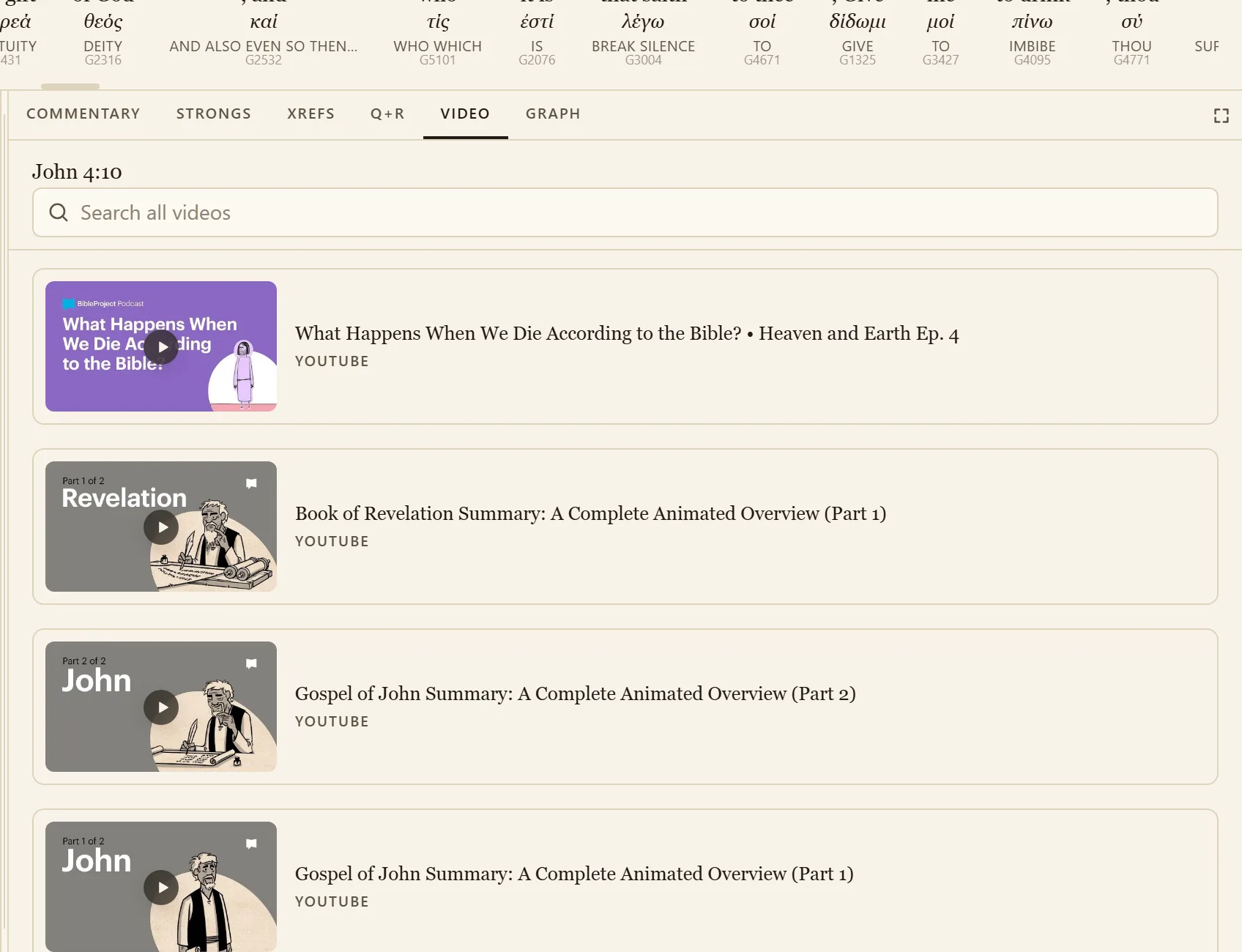
We don’t claim to know it all. There are content creators who have far more knowledge of scripture than we do, and we want to connect you with as much of their content as possible.
In many places throughout the app, you’ll see links to videos related to what’s on screen to help you better understand the text. These sources can offer important context to the passage you’re reading.
Maintain your progress across devices
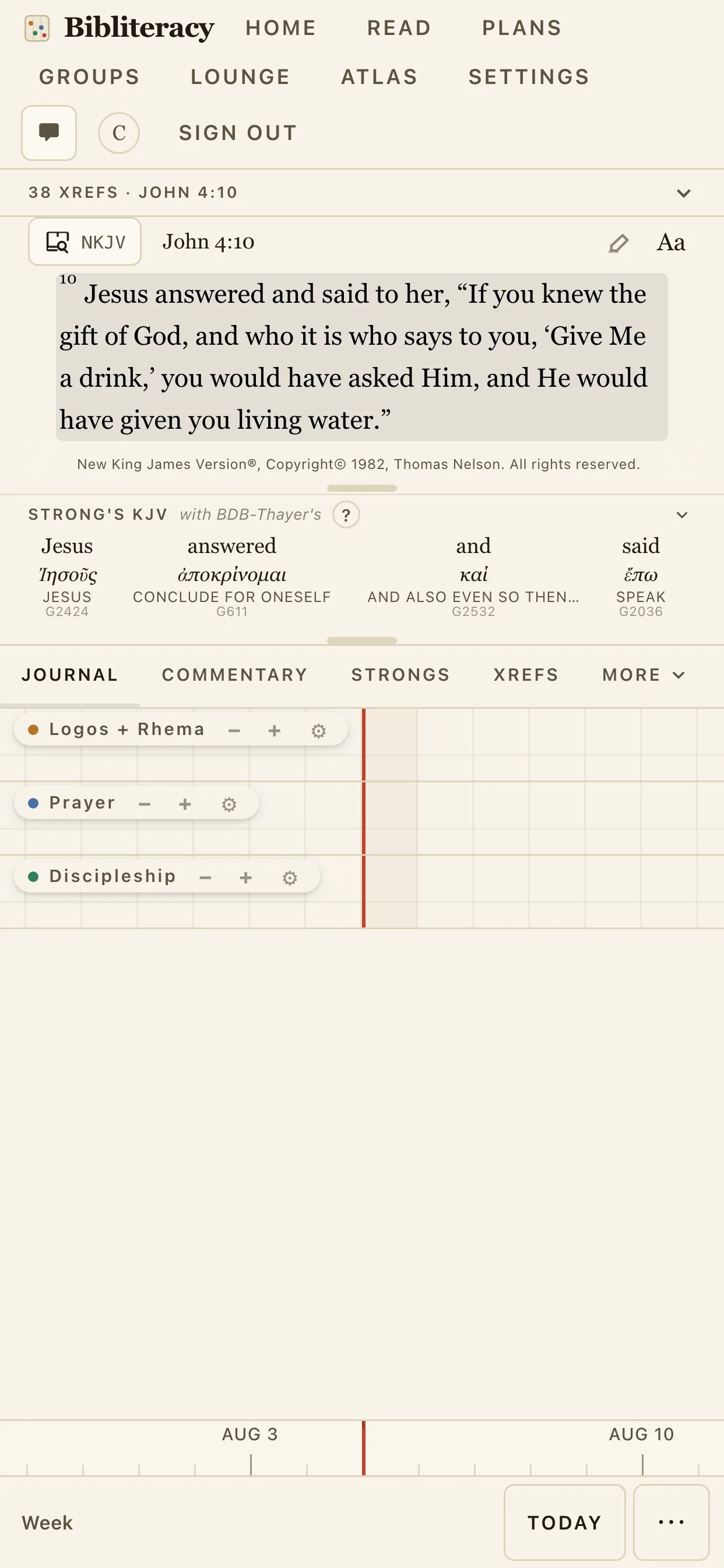
Everything you do is saved in the cloud, meaning switching
computers or going from desktop to mobile is seamless. Bibliteracy
is installable as a home screen app, so with one click you can
open straight to the grid.
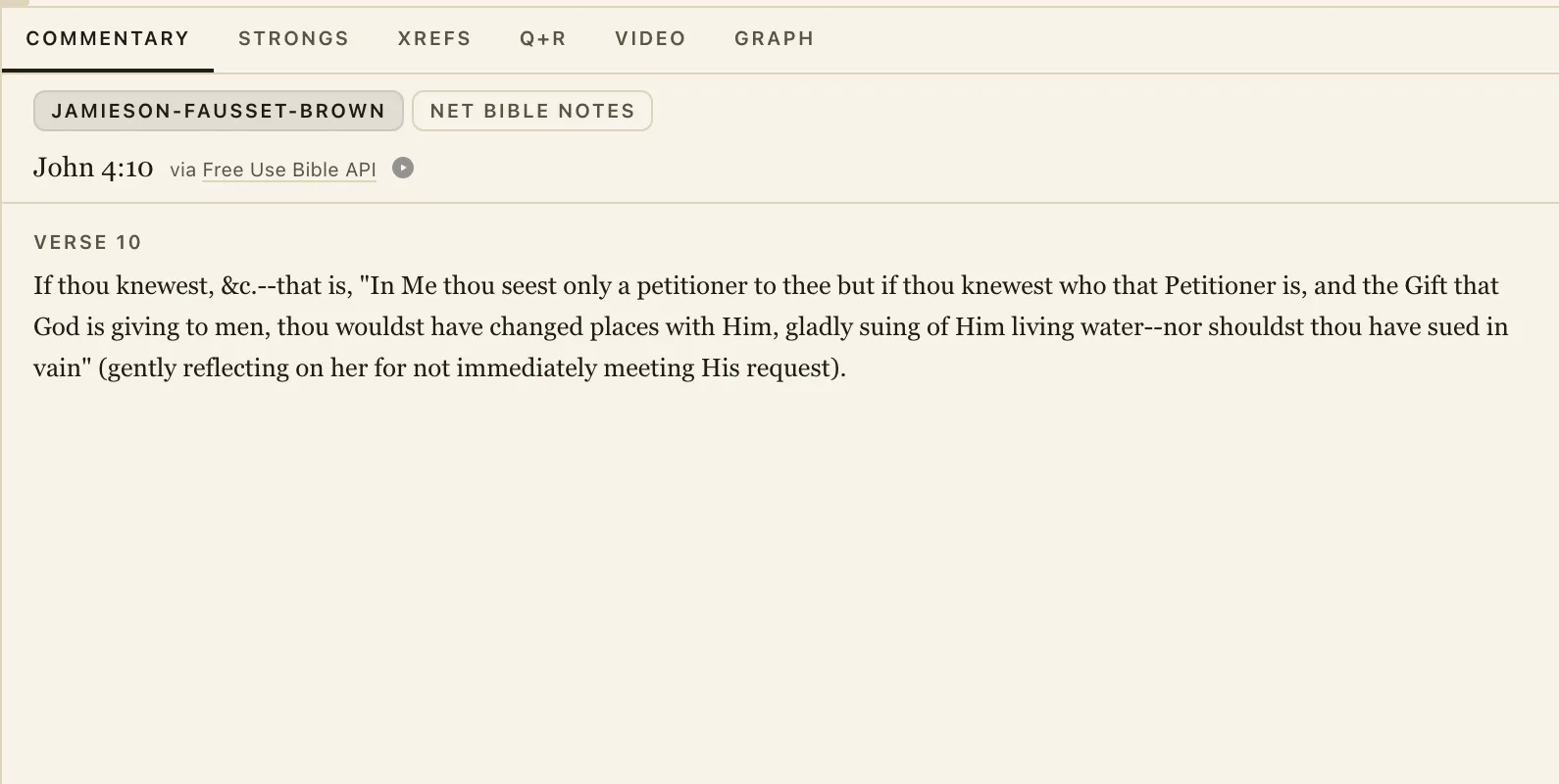
All your tools on one page
All the tools you need to understand scripture are right here
in the Study Tabs. Quickly switch between tabs in the window
to access different tools, all of which update automatically
when you select a new verse.